Tap to Authenticate: NFC YubiKeys on Linux
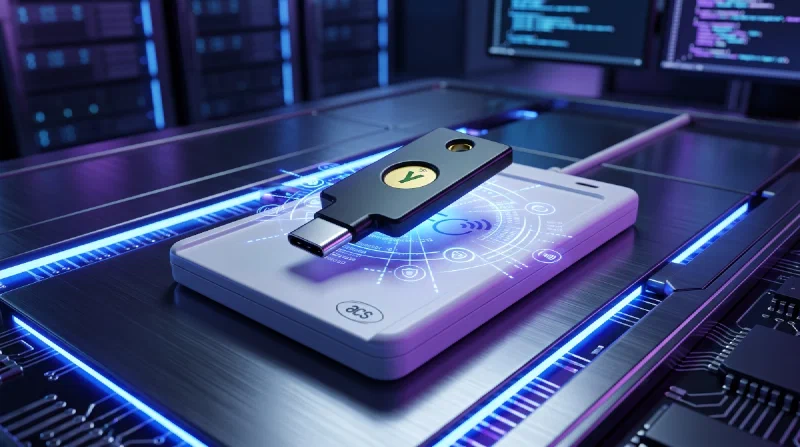
Tap a YubiKey against your phone and the login just happens. Rest it on an NFC reader next to your Linux desktop and nothing happens at all: browsers on Linux only talk to security keys over USB, so the reader may as well not be plugged in. One small daemon closes that gap. Here’s how token2-fido-bridge works, the hardware on my desk, and the AUR package I published that makes the whole setup two commands on Arch.
Why NFC Does Not Just Work⌗
Plug a YubiKey into a USB port and the browser sees a USB HID device, and USB HID is the only transport Linux browsers speak. Chromium implements WebAuthn over it directly, and Firefox’s authenticator-rs library supports it and nothing else; the request to add NFC has been open since 2020.
An NFC reader lives in a different world entirely. To Linux it is a smartcard reader: the pcscd daemon drives it through the PC/SC interface, the same stack that handles chip cards and badge readers. Browsers never learned PC/SC. On Windows this is solved at the OS level: browsers hand WebAuthn off to the platform API, and NFC comes along for free. macOS never solved it, and Macs do not even ship NFC hardware. Linux has no equivalent layer, so the tap lands on a reader the browser cannot see.
How Does the Bridge Work?⌗
The missing translator exists, and it comes from Token2, a Swiss security key maker that released it as open source. token2-fido-bridge is a small MIT-licensed C++ daemon that speaks both languages. Using the kernel’s uhid module, it creates a virtual USB HID device that looks like a plugged-in FIDO2 key, so browsers discover it the same way they would a physical key. CTAP commands arrive on that virtual device, get rewrapped as the ISO 7816 APDUs smartcards speak, and go out through pcscd to whatever key is resting on the reader. Responses make the trip in reverse.
Because the browser believes it is talking to ordinary USB hardware, there are no flags or extensions involved, and any FIDO2 key with NFC works, YubiKeys included. The daemon itself is a quarter megabyte with pcsclite as its only dependency, and it runs as root because creating a uhid device requires it.
The Hardware⌗
My reader is the ACS ACR1552U. It supports Linux, connects over USB-C, and I just needed something that worked. It is a standard CCID and PC/SC compliant reader; anything pcscd can drive should do the job.
The keys are a YubiKey 5C NFC and an old YubiKey Neo, and the results split. The 5C NFC taps flawlessly. The Neo does not work through the bridge at all, and the reason is simple: the bridge needs FIDO2, and the Neo predates it, topping out at U2F. If your key is from that generation, keep it on USB.
Installation⌗
Upstream ships .deb and .rpm packages for other distributions, but there was nothing for Arch, so I packaged it for the AUR:
yay -S token2-fido-bridge
sudo systemctl enable --now token2-fido-bridge.service
That is genuinely all I did. The unit starts pcscd alongside itself and even loads the uhid module before launching, so there is nothing else to enable or configure.
The one dependency worth knowing about is ccid, the driver pcscd uses to talk to most USB readers, the ACR1552U included. I never had to think about it because the Yubico Authenticator package had already pulled it in. The AUR package lists it as an optional dependency, so if your system does not have it, you will see the reminder at install time.
Putting It to the Test⌗
With the service running, I put it through the logins I actually use: GitHub, GitLab, and Gitea. The flow feels exactly like using a USB key, without the plugging: the site asks for a security key, the browser shows its usual prompt, and resting the 5C NFC on the reader answers it. Some sites take the tap alone; others follow it with a PIN prompt when they want user verification. Every combination worked. I proved the setup on Token2’s own FIDO2 demo before pointing it at real accounts: it registers a throwaway credential, identifies the exact key it saw, and stores nothing beyond the session.
I ran the same tests in Brave Origin, my daily driver, and in Firefox. That pairing covers both browser engines, Chromium and Gecko, which is about as much of the Linux browser world as one desk can test. Both treated the virtual key as the real thing.
Bonus: Yubico Authenticator⌗
The reader pays off a second time. Yubico Authenticator, the desktop app for the TOTP codes stored on the key, speaks PC/SC on its own, so its NFC support works with nothing but pcscd running: no bridge involved. Set a key on the reader, open the app, and the codes are just there.
And here the Neo redeems itself: both keys serve up their codes over NFC. Its browser trouble was never about the radio. The bridge needs a FIDO2 key, which the Neo is not. OATH, the standard behind the app’s TOTP codes, rides plain PC/SC, and the old key handles it without complaint.
Final Thoughts⌗
For years an NFC key went quiet the moment it reached the Linux desktop: fine on the phone, fine on Windows, dead air next to the keyboard. The gap turned out to be one small daemon, and Token2 chose to give it away, so every FIDO2 key benefits, not just their own. That is open source doing exactly what it should.
The everyday win is simpler than any of the plumbing: tapping a key on a reader is easier than plugging it into a USB-C port every time a login asks. If you are on Arch, you are two commands away from the desktop finally working the way your phone always has: tap the key, and the login just happens.